For this assignment I was tasked with creating an immersive experience based on the research proposal that I made prior, and talk about the process of this piece of work, the challenges I have whilst making it and any changes that I have made throughout.
Here are the tools and software that I will use in this project:
- Autodesk Maya (will primarily use it for creating standalone animations and rigs for the 3D models)
- Unreal Engine 5 (will be useful for creating effects, creating a viable scene and recording a video for the production)
- Off World Live (plugin for Unreal Engine 5 that is used for livestreaming and creating 360 VR videos)
- Adobe Premiere Pro (useful for creating the video as a 360 video from the exported image sequence and adding text)
- Adobe Audition (useful for making editing sounds and making them compatible with 360 VR).
Preproduction (WC 28th October)
Planning
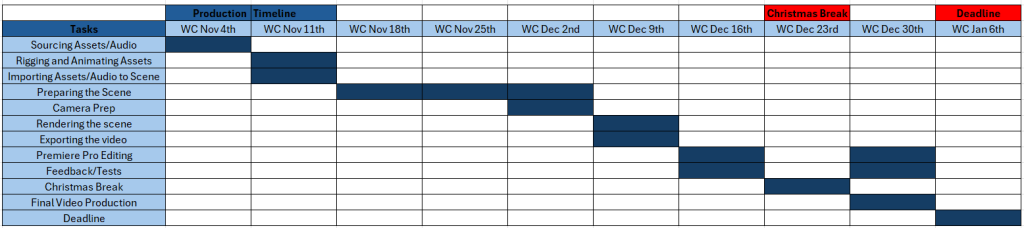
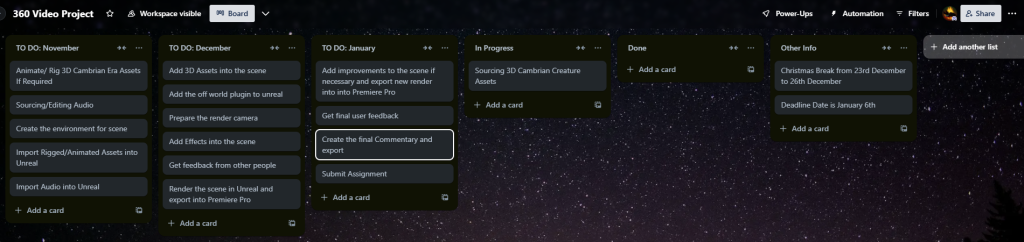
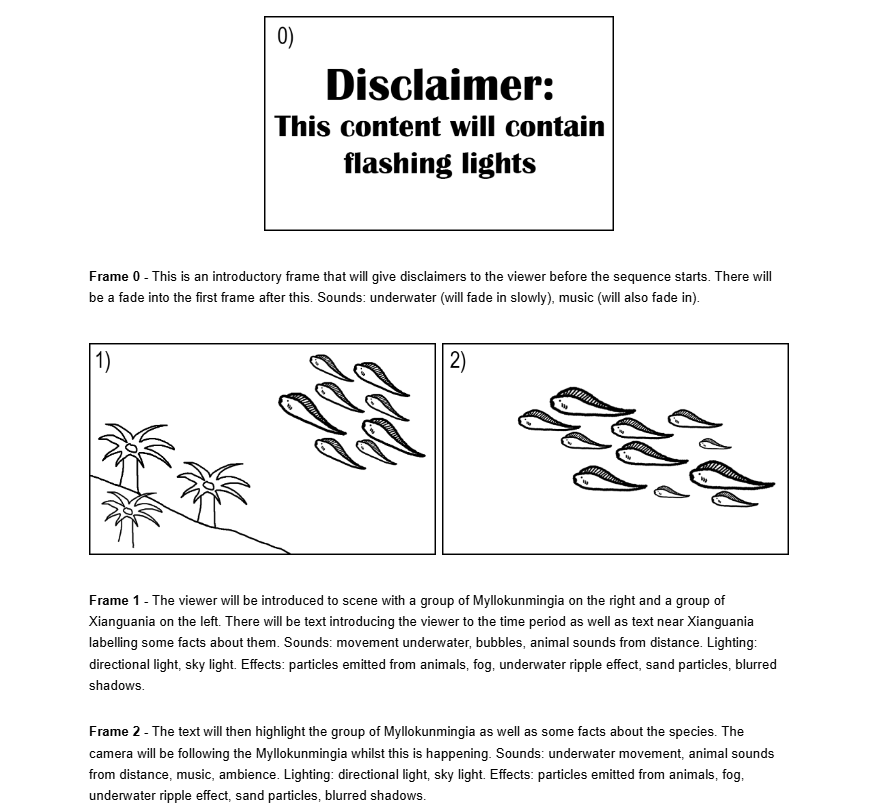
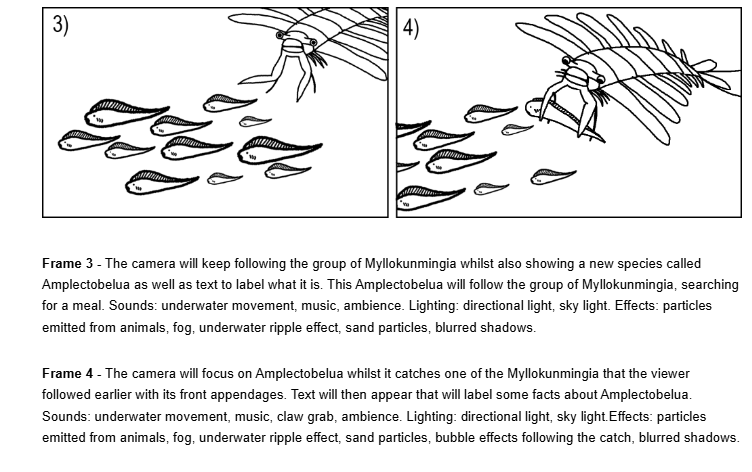
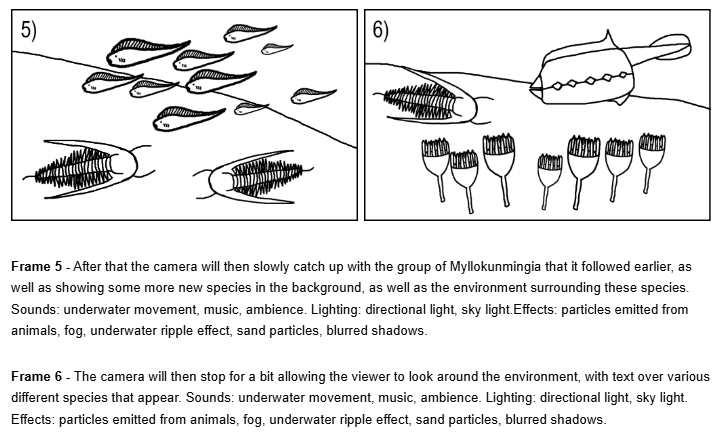
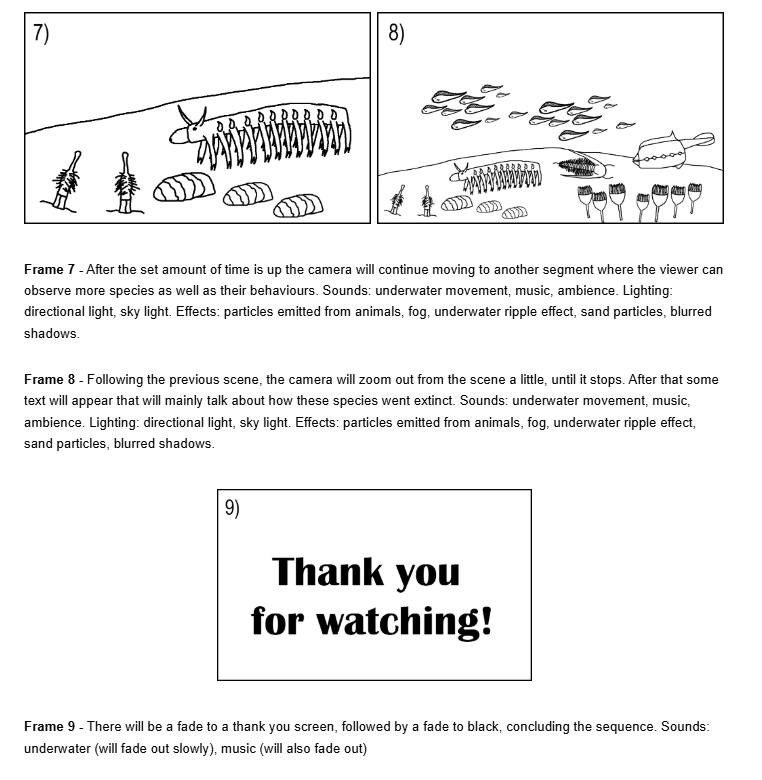
Before I could begin producing the final project I needed to create a storyboard and some plans for the project first, so I went into Trello and Microsoft Excel to create two separate plans for the project that would detail exactly what I needed to do for each week in this project. I then created a quick storyboard, outlining all of the important events that would occur during the final production piece. I would follow this plan throughout the following weeks as accurately as possible whilst also accounting for some potential changes that I might need to make in the upcoming weeks.
Progress
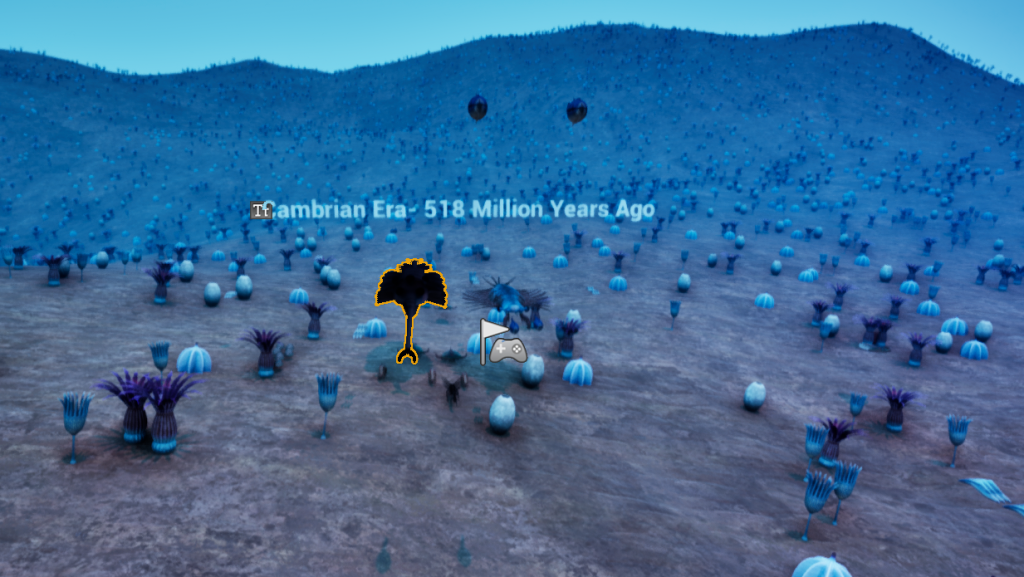
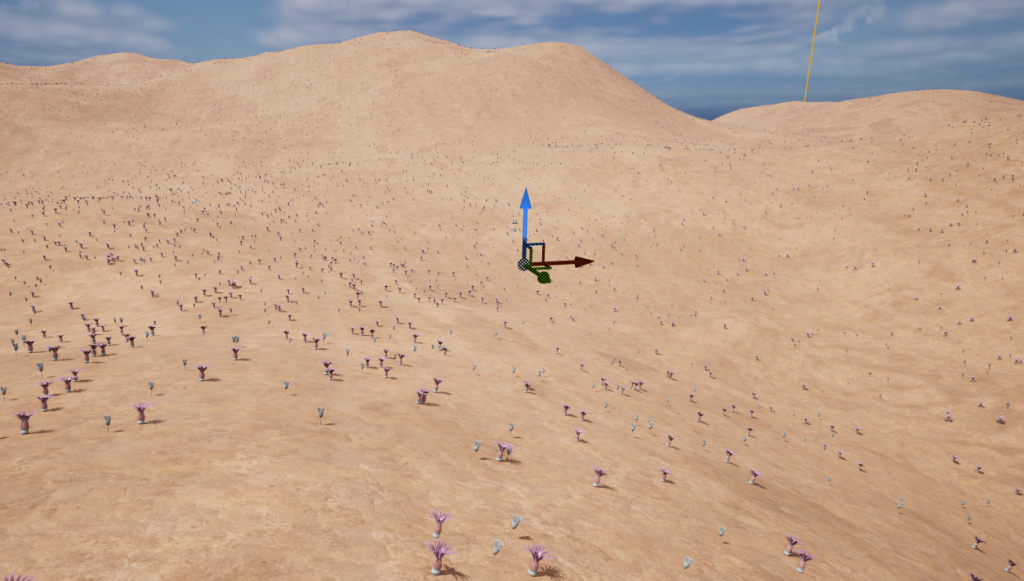
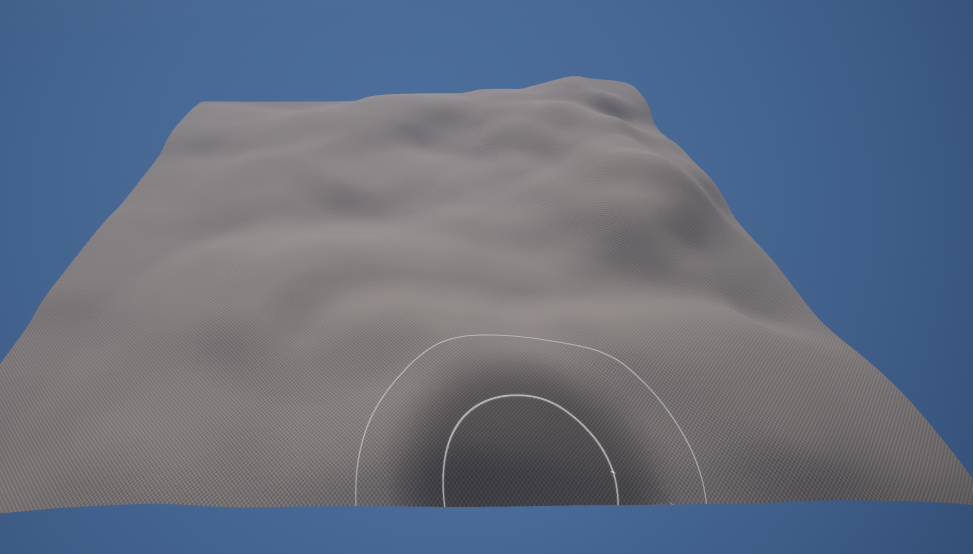
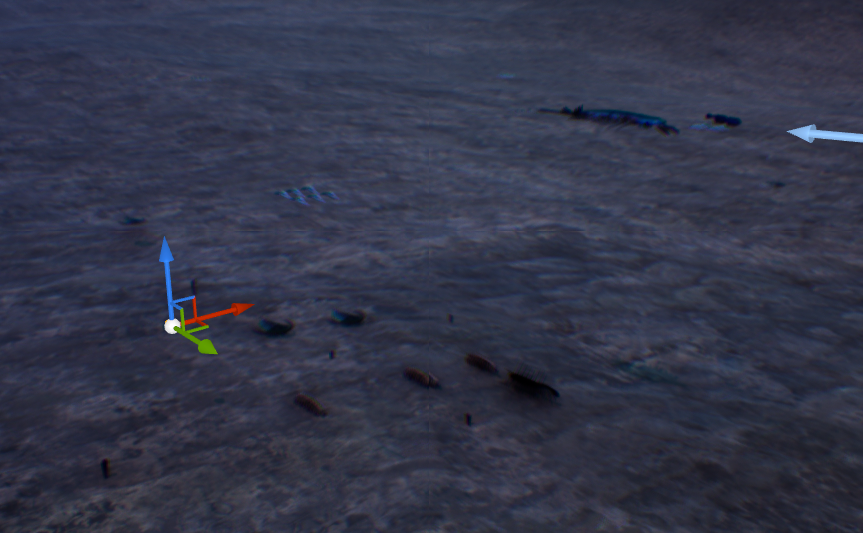
During this week I also made a test scene/prototype in Unreal Engine 5 using 3D Models that I would use in the final project and also other models that would not make it in the final cut of my final production piece. I sourced these models from different websites during this week as well so it was a good opportunity for me to also check which models I needed to animate and which ones I would not need to tweak at all.
Production Week 1 (WC 11th November)
Progress
In this week I started to create my project on the same file that I made the test scene in, since I thought it would be easier to make my project in a scene that I already made rather than create a new scene and waste a lot of time doing so. All of the assets I needed were already in the scene as well, and some of the assets are already animated beforehand, so I would only have to make some animations for my scene in order for that part of the project to be considered complete. This obviously led me to a choice of using Unreal Engine 5 with the Off World Live plugin rather than Maya, as in Maya it would take longer to create a viable scene and effects as I mentioned in my research proposal. More movement with the camera, more options with effects and the engine being less prone to crashing (due to allowing larger file sizes) are the main reasons as to why I decided to use Unreal for this project.
There is one disadvantage with the Unreal Engine, and its that it currently does not have a built in 360 camera, and this is a problem because that requires a plugin, so I have to rely on Off World Live. I do not have any prior experience on this plugin so there may be issues that arise later on due to my inexperience with using this plugin and because its a relatively new software in comparison to Maya so bugs are more likely to occur as a result.
As for any other work I did during this amount of time, I made a base rig for Eoredlichia (one of the creatures in my level) as well as considering to make rigs for other creatures that I might or might not animate that are not animated already. I still need to block out the animations for it, as well as do any weight painting so that it does not distort whilst it is looked at.
Feedback and Reflection
I did present my work to peers and tutors, and the main thing that I took from those discussions was to research into different documentaries and how I could structure my piece to match the tone of those pieces of media. Thinking about the story is another thing that I would need to consider whilst making the piece, but I covered that briefly during the storyboard so I basically know how my piece will be structured. As to the final piece of feedback that I got, it was to render out a test video using the OWL 360 Camera (which is part of the Off World plugin) to get an idea as to how the video could look like.
Production Week 2 (WC 18th November)
Progress
In this week of the project I decided to continue with my test renders, since I had a problem with my render where it would only show a 180 projection rather than a full 360 projection how I wanted to. So I had to experiment with the different OWL 360 camera settings as well as the movie render queue settings (of course before I could do that I would have to enable the movie render queue plugin). After that, I decided to just search for a tutorial on how to set up a 360 video render in the Off World Live website itself, and I found two tutorials which I followed throughout as seen below. The main things from this that are worth discussing are the texture target, since that is what the 360 camera will render with and the fact that I had to log in and create an account in off world to even use to plugin to its fullest in the first place.
After setting up the camera and the render settings, it was time for me to render out the scene. However, after a few render attempts, it seemed as though the animations were not working. I tried fixing them with a few settings, and they just would not play in the render itself despite the animations playing just fine in the editor itself. When this issue arose at the time, I did not have the time to do so in this period so I decided to leave it to the following week so I could figure it out then. Another change I made during this time was that I finally started to weight paint the Eoredlichia model and almost completed it, since I did not want to waste time whilst rendering out my scene.
Feedback and Reflection
I did not get much feedback this week, but I did get some useful insight that I would take forward with me, the first suggestion was to keep rendering with different settings as I discussed previously to solve to aforementioned problems and use the Off World Website for further clues as to how I might need to set up my render. After this week’s session I also decided to reflect on whether I should make any changes and I decided to remove a few species from the project, since it would make the process of making my video much harder and overall it would just waste time.
Production Week 3 (WC 25th November)
Progress
This week was quite eventful, with me still having the rendering issue (the one where the animations would not work when the scene renders out) during this week’s Thursday session. So naturally, I asked for advice on how I could fix this issue and tried to fix it with my tutors. Regardless, everything we tried did not work, the next best thing was to ask the Off World Live team on discord on how I could potentially solve my problem but they did not reply on that day so I had to wait the following day to get a reply back. In regards to other things that I did during that session, the Eoredlichia model weight painting was finally complete, an I also managed to add some controls to it as well, so the only thing left for me to do in regards to that model would be just to animate it.
In the following day, I came in to do some work when I finally got a reply from the Off World Live team in regards to my issue. It turned out that I had to disable the pause rendering option for the texture target in the 360 camera through adding a reference to it in the level blueprint, which the render finally started animating the models, therefore fixing the issues that I previously had with the rendering.
Feedback and Reflection
During this week I had quite a lot of feedback. A tutor suggested saving backup files to have a version where I did everything correctly in case I do something wrong in the other file. I have considered this option, however I feel as though that would take up more storage than needed, and it could confuse me when searching for the file in question. I also had older versions of the file I could come back to though, so that was another reason as to why I did not follow through with that feedback.
As for other suggestions, my peers mainly discussed about my render quality and adding text instead of speech, which both were very valid suggestions. Since I was rendering the test in 1K instead of 4K, I decided that I will render out in 4K when I finished blocking out the animal movement within the scene itself and as for text I already was considering adding it but I decided to go through with that idea. The last feedback that I got was in regards to the seams that you would see whilst playing the video, and a lot of people suggested that I should reduce them, so it would be something important for me to figure out whilst I blockout the project in the following week.
Production Week 4 (WC 2nd December)
Progress
In this week I made more progress than in the last 2 weeks, on the Tuesday I started to keyframe the main movements of the models, mainly the creatures and how they would move about in the scene in accordance to the storyboard I have made in my research proposal. I did a few test runs on that day to make sure that the movements were as accurate as possible and I nearly managed to blockout the main movement up to the part where the apex predator of my scene (Amplectobelua) attacks the ancient fish called Myllokunmingia.
On the Wednesday, I managed to fully animate the trilobite (Eoredlichia) model in Maya despite planning on continuing with the keyframing of my scene in Unreal. The reason for that change was that I could not access the PC I was working on for that scene (since the recent version of the file was saved on there) so I had to do the next best thing and do an animation that I could have ignored earlier. Overall, it went smoothly with the only problem being the fact that I initially did not bake the animations when exporting, but eventually I figured that out upon watching a YouTube video guide on how to export animations in Maya.
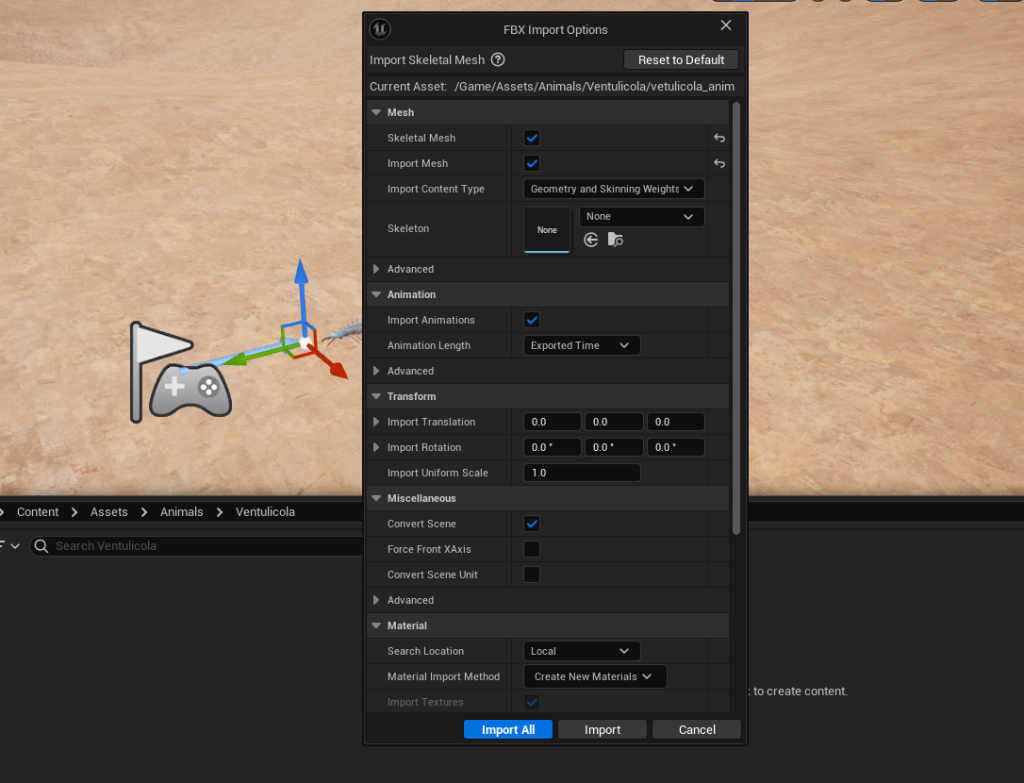
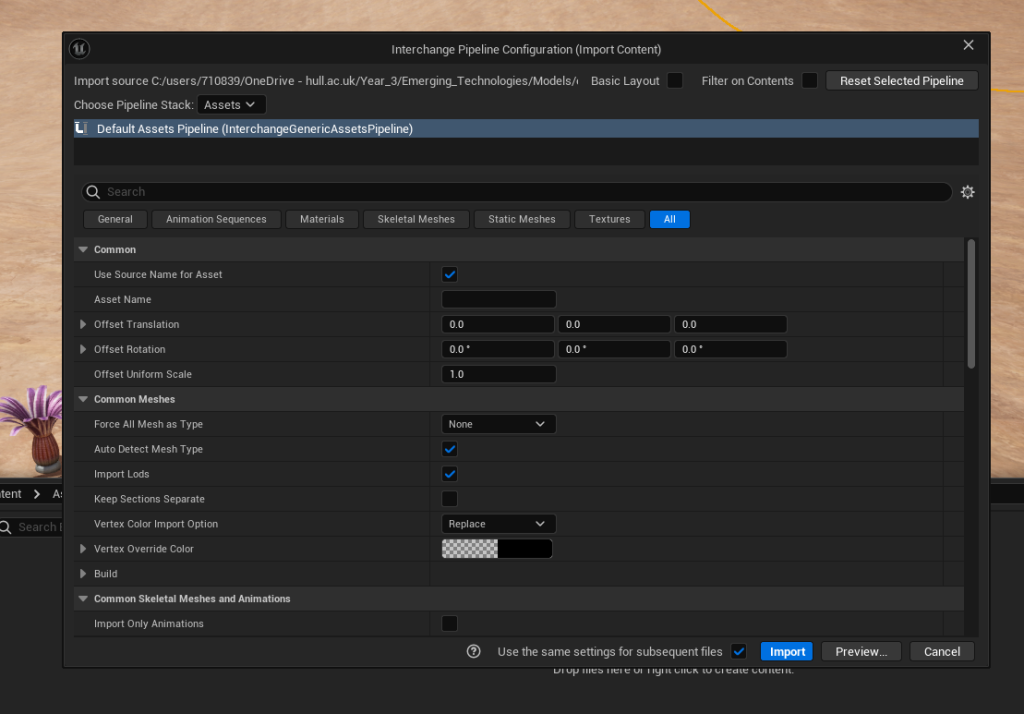
In the Thursday session I imported the trilobite animations I did the day before into the Unreal project so therefore that animation was now in the scene ready to be used in the scene. Before that though, I decided to change some things about how the scene will play out, mainly near the parts after Amplectobelua attacks Myllokunmingia. Instead of the rest of the Myllokunmingia leading the viewer to the other parts of the scene the Amplectobelua would do so. The reason as to why I decided to do this is because I felt as though it would be more immersive to the viewer if a creature of much larger proportions swam past the viewer instead of a few smaller ones, giving a much larger perspective for the viewer in comparison. Otherwise, I was primarily just focusing on finishing the basic camera and model movements/keyframes for my scene, which I managed to do by the end of the session, alongside fixing the aforementioned seams issue I had in the previous week. At the end of that day, I got a test render up and ready to export for other people to have a look at it.
Finally, on Friday I just did some polishing for my scene in the form of adding an attack animation for Amplectobelua and a death animation for Myllokunmingia in Maya, which required me to adjust/change the keyframes for these animations and create separate files to not cause unnecessary issues. I took the example from my Eoredlichia animation I made a few day prior and baked the animations whilst exporting them from Maya, though this time I only imported the animations and not the models with them this time (as there was no requirement to do so). I managed to integrate the Amplectobelua animation perfectly into the scene when importing it into Unreal but the Myllokunmingia animation did not integrate as well. Unlike the Amplectobelua, the Myllokunmingia is supposed to stay in its final death pose after the animation had finished but it either repeated the death animation or it just returned to its swimming animation. So to combat this issue I decided to just keyframe the Myllokunmingia upside down instead of adding the death animation since it would run for the rest of the sequence.
Feedback and Reflection
During this week I also had some feedback, it was mainly to do with exploring with different projection types due to having problems with seams at the time) and also adding something to the scene just to make the edge non visible to the viewer. I actioned this feedback by making the fog more dense but for the projection types I already knew that stereo equirectangular was the best projection type due to the other projection types making the video into a completely different format from what I wanted it to be. Another piece of feedback that I received later on in the week was that there were moments were creatures fazed through the viewer, so a peer suggested that I should keyframe it in a way to prevent that from happening. In this case I eventually sorted it out through adjusting keyframes of the affected assets and make them move in a way where the viewer will not get overwhelmed.
Overall, I would say that this week was successful. I managed get a lot of work done according to my schedule that I set in the research proposal, whilst also not being too afraid to change some aspects that I would later realise to be a hinderance to my overall experience. Although one thing I would want to think about moving forward is whether I would want to add text to the sequence in post production, in production or not add it at all (rather replacing it with speech).
Post Production Week 1 (WC 9th December)
Progress
In this week I finally decided whether I wanted to add text or not, and ultimately I decided to keep that aspect of my initial plan intact (as well as the addition of audio). But the main parts of the project that I managed to complete on Tuesday and Wednesday were making the final 4K render without text (which I finally manged to accomplish) as well as doing some research for the text I am about to write on the Thursday session (mainly to do with the Cambrian period, the location that the video is set in and animals that are featured in the video).
In the Thursday session, I edited the 4K render that I have made the day prior in Adobe Premiere Pro and added some text before and after the sequence (just as I planned in my storyboard), as well as text over each individual animal that I have researched as seen below (mainly their names, evolutionary relatives and some more interesting facts about the species). A lot of editing software does not wrap the text in a 360 video, however premiere pro offers that option to its users (since it supports 360 video exports), hence why I decided to use it in my post development stage (despite the whole monetisation problem that Adobe has with their products). In this session I also decided to start adding audio, but only the background audio since I would have to edit the other audio to be spatial audio in order to fit in with the 360 video. Following this, I exported what I had done so far after the session has ended just so I would get feedback on it for the following week.
Feedback and Reflection
I did not get much feedback this week, however this was something that I think is important to keep in mind moving forward, and its thinking about how the technology I am using could be used: whether it would be to create awareness for certain issues or educate users in an immersive way. I do think that I rushed my work during this week, most likely due to the time constraints that I had during the time but I will try to polish my project in the following week to ensure that I could deliver the best possible product.
Post production Week 2 (WC 16th December)
Progress
During this week I was finalising the final product by polishing the text that I already made the week prior and also editing the audio so that I could import it to the scene later on in the week. When importing and exporting this audio I had to work on 2 devices as one of them did not have sound, so I had to use the other device to check how these sounds would sound like and whether it would fit into the scene or not. I had to constantly adjust audio just so that it does not sound too out of place for what I was doing, which is a documentary featuring underwater prehistoric creatures. However It is likely that the sounds that I did put into my scene are not entirely accurate, since it is hard to figure out how an extinct species that lived millions of years ago might have sounded like.
Feedback and Reflection
During this week I did not have any feedback due to how focused I was in terms of finishing this project. In terms of that, I should have had some time set for feedback during this week, as it may have made the final product better than what I have right now. However, in terms of following the plan that I set back a few weeks earlier I think I am way ahead of schedule, and I managed to consistently stay on task despite the challenges that I have faced throughout this project. For example, I managed to finish the Premiere Pro and After Effects editing 2-3 weeks prior to when I set myself to complete those tasks, so overall I would say that the project was fairly successful at the end.